If an error happens, Dynare will not reach the part where it saves results. The error message here is because you have a Slovenia.mat and a Slovenia.xlsx and Dynare does not know which one to use.
I corrected this and removed the .mat file from that folder. Now the file ran for many hours over the night and all seems correctly.
However, still I see no file named _results.mod, in the Output folder I found these files, is this the output?
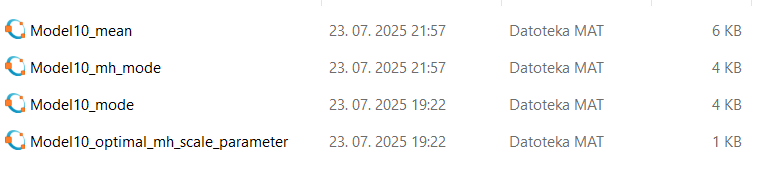
Did the code finish without an error, i.e. was there a message
Total computing time :
?
There was a lot of output, but the only output related to error were this:
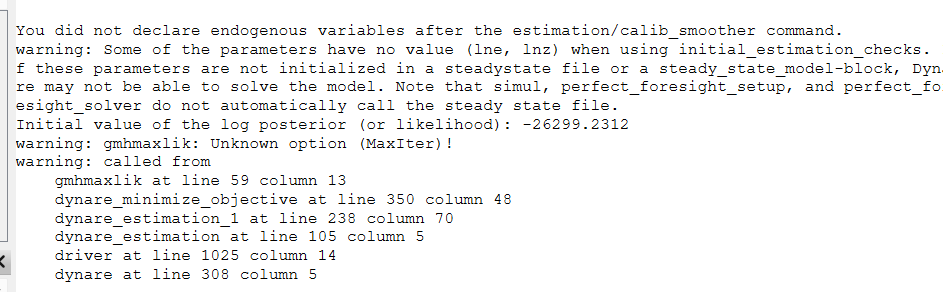
and this:

I am not sure about total computing time, I think about 4-5 hours, because output was saved at 10 pm and I ran the Octave at 5-6 pm I think.
It clearly states
error: called from
Thus, your code never properly finished execution and did not save.
Okay, but what is the error? The mod file doesn’t have 308 or even 1026 lines, so where is the problematic part? Instead of data1.mat, should I use Slovenia.mat? Thanks again.
Always provide the most recent version of the file. The line numbers refer to the .driver file created by Dynare.
Here you go, I found a file “driver.m” in the directory folder, but I have no idea where it comes from. The code from Mr Röhe and your code that I use don’t include it. Perhaps, it’s an output file from my estimation?
driver.m (35.5 KB)
I would appreciate it if you could read my replies carefully. I stated that the .driver file is created by Dynare. I need to see the mod file that created this file as well as all other files created by you that are required to run it. Obviously, somewhere in the mod file you are trying to access a data1.mat that does not exist.
Please forgive me, I promise to pay more attention from now on. Here are the corrected files without reference to data1.mat:
Model10.mod (4.5 KB)
Slovenia.mat (10.9 KB)
I obtain the following message after removing Excel and introducing .mat file in the directory folder:
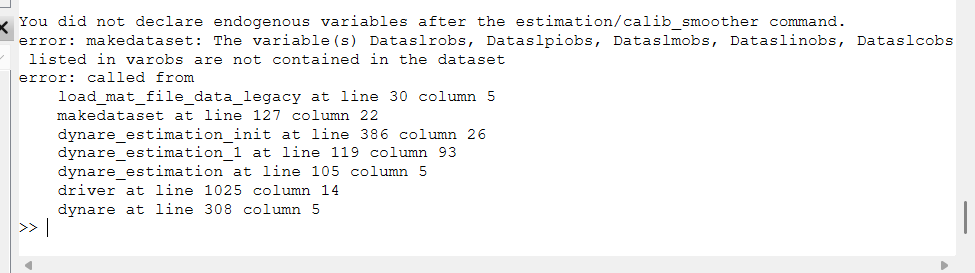
Although I created the .mat file from Excel and it should have the same column names. I used this procedure to create .mat file:
pkg load io
S = xlsread(‘Slovenia.xlsx’)
save Slovenia.mat S
Here is a code that works for the mode-finding step with different starting values:
Slovenia.m (10.9 KB)
Model10.mod (4.7 KB)
However, the mode finding is not successful as there are always corner solutions. Before continuing, you need to work on that.
1 Like
Perfect, thank you so much for the code. I will do my best to find a solution for corner solutions. Meanwhile, I obtain few errors running the code:


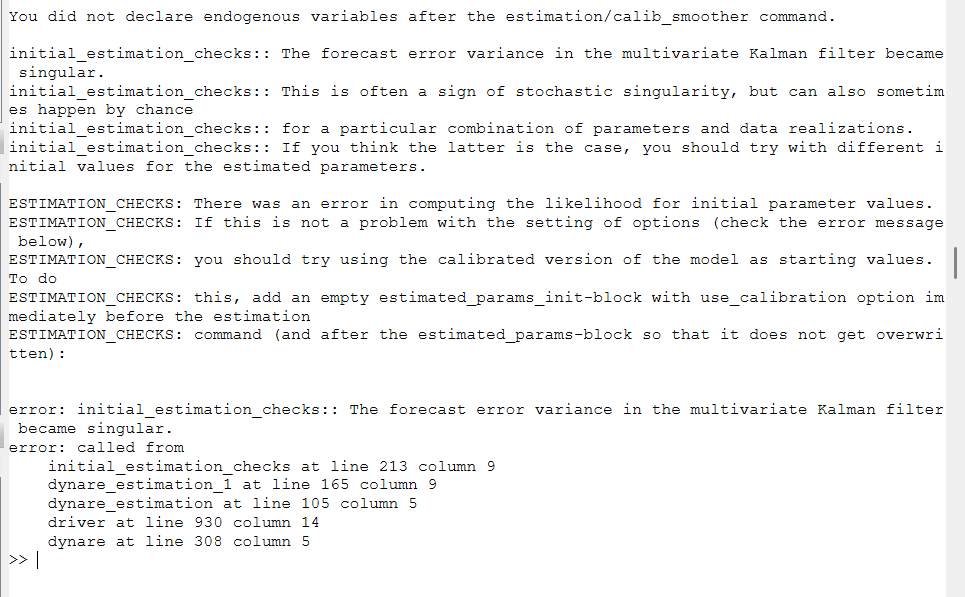
Is this related to corner solutions or is there a problem in the code? Or can I ignore these warnings? Thanks!
You can ignore the warnings. But what did you change so that the errors appear? On my machine the program runs without issue.
I changed absolutely nothing except renaming the second file into Model11. I obtain “million” different errors, I didn’t screenshot all of them. Perhaps this stems from using different versions of Octave and Dynare? Or different computer and system? I can’t think of any other reason…
Edit: trying to run the program for the second time, Octave even froze and stopped producing output comlpetely…
Try the attached file that has a try-catch statement to prevent fatal errors when a parameter draw does not work. Maybe one of the draws is problematic in Octave.
Model10.mod (4.9 KB)
The warnings about the Hessian can generally be ignored.
Now, instead of 3-4 hours, the operation takes 11 minutes only. And there are no graphs as an output. Is this normal? Why the change?
No errors, except Hessian, are reported, and this is the final part of the output:
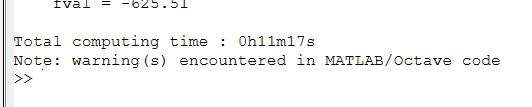
I noticed the presence of this file: Model13_results.mat in the folder Output. It’s not a mod file, that you mentioned, but mat file. Is this nevertheless the wanted output? Can I use it or do I have to solve the corner solutions problem first? Thank you!
Model13_mode.mat (3.6 KB)
Model13_results.mat (340.0 KB)
- The code I provided you with does mode-finding for various starting values. That step is not meaningful if you still run into corner solutions that require you modify your model estimation.
You should first solve the corner solution problem. - The two files you uploaded are meaningless for this step. You need to take the
mode_parameter_results.matthat was manually saved by the mod-file, read out the mode and use that to start estimation.
Okay, so, about modifying my estimation to solve corner solution problem.
Professors at my university told me that this problem is too specific and they can’t help me and that I should use AI, which was surprisingly plentiful in ideas. Copilot states that this is the reason for the problem with Hessian and that I should approach the problem by widening the bounds. For example, if the parameter is hitting a bound (e.g. χ = 1), I should consider widening the range slightly.
Am I on a right track here? If yes, which parameter is hitting the bound? I found no clues in the output.
I am attaching the Dynare output again.
Model13.log (213.0 KB)
- Again, if you don’t have professors who can advise you, you should not be working on this.
- Inspect the
mode_checkplots. They show the bounds and which parameters hit it.
First, this missunderstanding couldn’t possibly be worse. I’ve received an enormous amount of help from various professors, including from my university, and including You, of course. It’s just this specific problem with corner solutions that is too specific for (some) of them. After all, I’ve received an entire code for testing parameter stability, as well as very detailed and clear instructions how to use it. After solving the corner solution problem, I can do steps 2 and 3 alone. Finally, after 99 % of work in my master’s thesis is done, I feel it would be crazy to give up at this point.
Second, can you give an example for how to use the mode_check plots? After running my file, no plots appear on their own. Thank you so much!